Govee Connect Plugin Govee lights plugin for Stream Deck and Stream Deck +
Your Govee lights on Stream Deck keys and dials.
Made for your setup.
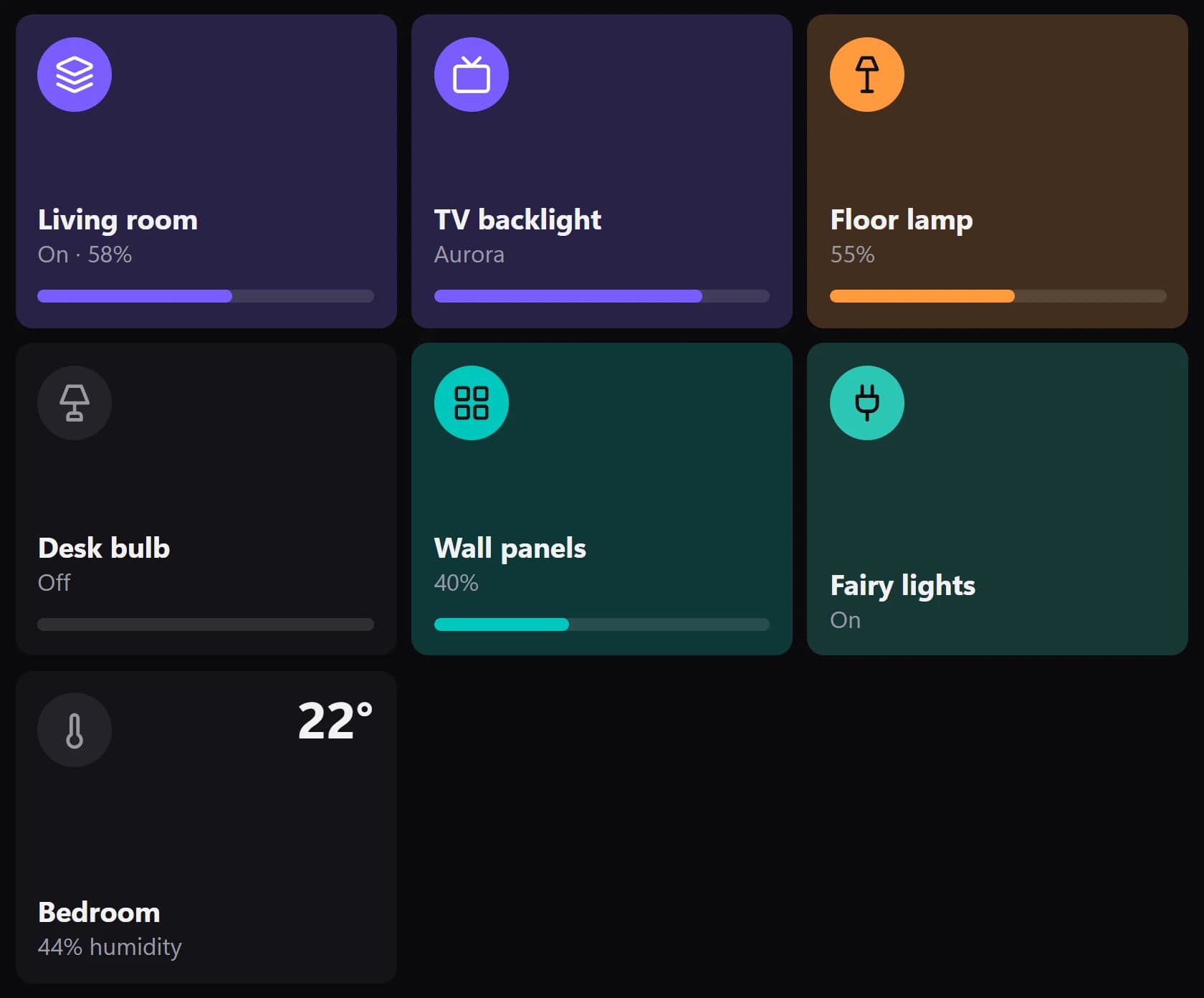
Govee Connect Plugin is a Govee lights plugin for Stream Deck and Stream Deck +. Control your Govee lights from Stream Deck: switch them, dim them, set any colour or white, and run Govee's scenes, DIY scenes, snapshots and music modes. Lights with LAN Control on work over your network with no account. No other app to install.
Govee Connect is an independent plugin by Qaem. It isn't made, endorsed or supported by Govee.
Take a closer look.
What it does.
Power and brightness
One light, several or all, with colour and brightness live on the key.
Colour and white
Any colour or white. On Stream Deck +, turn a dial through them.
Scenes and presets
Govee's scenes, DIY scenes, snapshots and music modes, and your own presets.
Segments and sensors
Paint parts of a strip, and show a thermometer's readings.
No account needed
LAN Control works over your network. An API key adds scenes and more.
Specs.
- Category
- Stream Deck plugins
- Runs on
- Windows, Stream Deck
- Requires
- Stream Deck 6.9 or newer
- Windows 10 or 11
- Govee Wi-Fi lights on your network, or on your account with an API key
Guides.
A setup guide for Govee Connect Plugin is on the way.
Questions.
How much does Govee Connect Plugin cost?
$9.99. One-time purchase here, with free updates.
Where do I get Govee Connect Plugin?
Here on qaemdev.com, at checkout.
What do I need to run Govee Connect Plugin?
Stream Deck 6.9 or newer. Windows 10 or 11. Govee Wi-Fi lights on your network, or on your account with an API key.