
Deckord Discord plugin for Stream Deck and Stream Deck +
The ultimate Discord controller for Stream Deck and Stream Deck +.
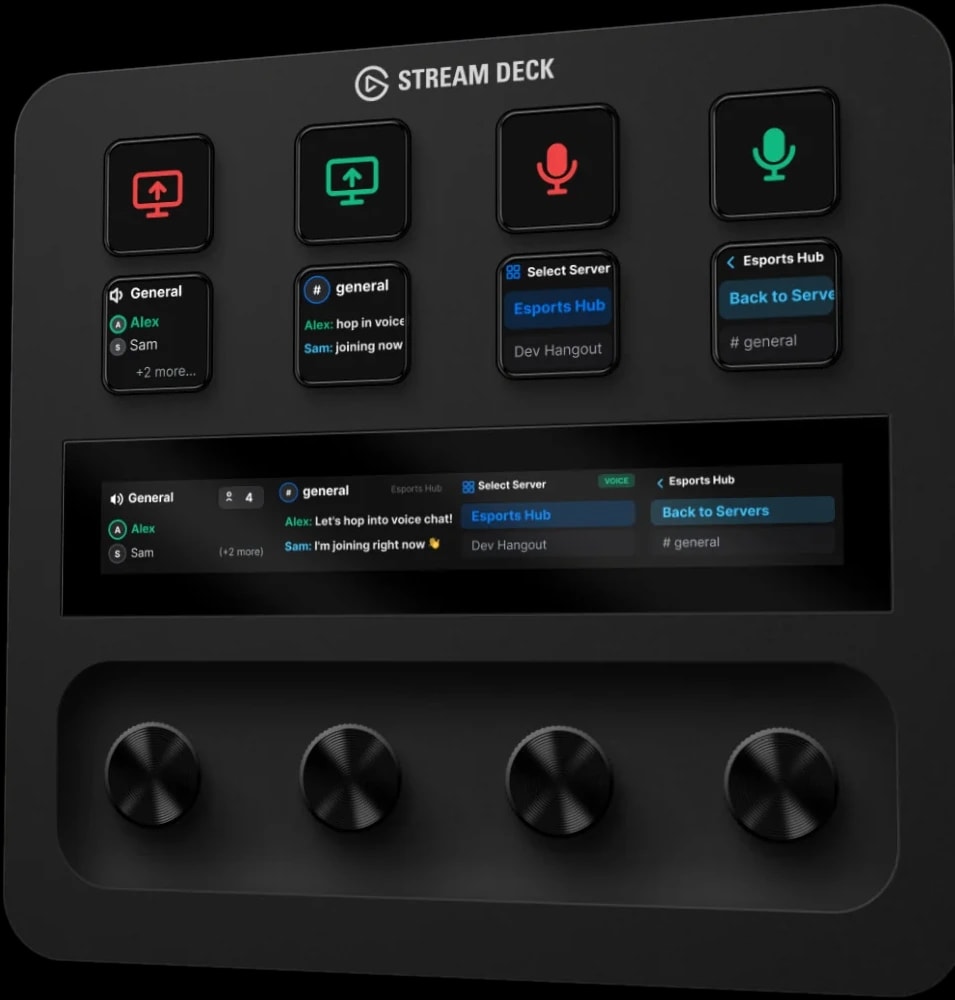
Made for your setup.
Deckord is a Discord plugin for Stream Deck and Stream Deck +. Take total control of Discord. Deckord turns your Stream Deck into a dedicated Discord control center, with instant mute, push-to-talk, per-user volume on the dials that matches Discord's own slider, and a voice channel browser that shows who's in each channel before you join.
Deckord is an independent plugin by QaemDev. It isn't made, endorsed or supported by Discord or Elgato. Discord is a trademark of Discord Inc.
Take a closer look.
What it does.
Microphone mute
Instant toggle with real-time, two-way status sync.
Push to talk
Ultra-low-latency, hold-to-talk hardware trigger.
Per-user volume mixer
Rotate a dial to boost quiet teammates, up to 200%, the same percent Discord shows.
Voice channel browser
See who's in each voice channel on the touch strip, before you join.
Voice processing
Noise suppression, echo cancellation and auto gain, one key each.
Call timer
How long you've been in the call, on a key or dial.
Hardware soundboard
Fire Discord soundboard sounds from a key.
Specs.
- Category
- Stream Deck plugins
- Version
- 1.2
- Runs on
- Windows, Stream Deck, Stream Deck +
- Works with
- Discord
- Requires
- Windows 10 or later
- Stream Deck software 6.9 or later
- Discord desktop app
Guides.

Stream Deck Discord not working? Fix authorization, the plugin and the volume mixer
Stream Deck keeps asking to authorize Discord, the Discord plugin does nothing, or the volume mixer dial is empty: the real causes, in order, and how to fix each.
Set up Deckord for Discord
Register one Discord application and connect it to Deckord, on Stream Deck keys and dials, on the XENEON EDGE widget, or both.
Questions.
Is there a Discord plugin for Stream Deck?
Yes. Deckord controls Discord from Stream Deck keys and Stream Deck + dials: mute with two-way status, push-to-talk, per-user volume up to 200%, noise suppression and echo cancellation, a call timer, a voice channel browser on the touch strip that shows who's in each channel, and the soundboard.
How much does Deckord cost?
$9.99. One-time purchase, here or on the Elgato Marketplace.
Where do I get Deckord?
Here on qaemdev.com, or on the Elgato Marketplace, at the same price.
What do I need to run Deckord?
Windows 10 or later. Stream Deck software 6.9 or later. Discord desktop app.
