Deckord Widget Discord iCUE widget for the XENEON EDGE
Discord mission control on your XENEON EDGE. No Stream Deck required.
Made for your setup.
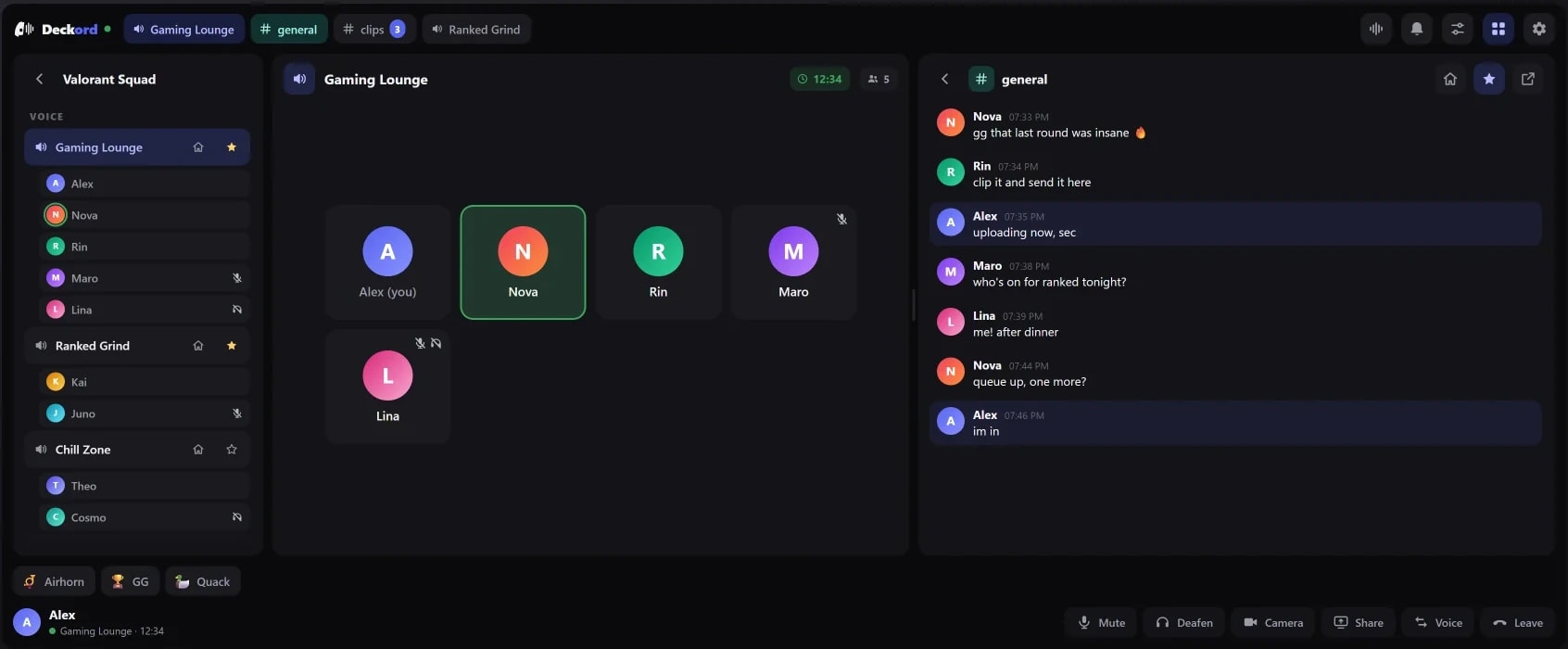
Deckord Widget is a Discord iCUE widget for the XENEON EDGE. Deckord on a touchscreen: see everyone in your voice channel, set any teammate's volume, browse servers, read chat and play soundboard sounds, all from the XENEON EDGE. It fits every tile size, from a small remote to a full dashboard, in Discord's light or dark look.
Deckord Widget is an independent widget by QaemDev. It isn't made, endorsed or supported by Discord or Corsair. Discord is a trademark of Discord Inc.
Take a closer look.
What it does.
A layout for every tile
Compact on short tiles, Dashboard on wide ones, Classic in between. Or pick your own.
Full participant roster
See everyone in your voice channel, and who's in the others before you join.
Per-user volume
Tap any teammate for a 0–200% slider that matches Discord's own.
Mentions and DMs
They pop up as they arrive. Tap one to open the chat.
Audio
Switch mic and speakers, and toggle noise suppression and echo cancellation.
Call timer
How long you've been in the call, next to the channel name.
Server browser and chat
Browse your servers in Discord's order, read chat live and jump into a channel.
Soundboard
Every sound, one tap.
Specs.
- Category
- XENEON EDGE widgets
- Version
- 1.5.2
- Runs on
- Windows, iCUE, XENEON EDGE
- Works with
- Discord
- Requires
- Discord desktop app
- A Discord application (Client ID and Client Secret)
- iCUE with a CORSAIR XENEON EDGE
- Qaem Hub, or the Deckord Module
Guides.

Stream Deck Discord not working? Fix authorization, the plugin and the volume mixer
Stream Deck keeps asking to authorize Discord, the Discord plugin does nothing, or the volume mixer dial is empty: the real causes, in order, and how to fix each.

 +2
+2XENEON EDGE setup ideas: 7 layouts and the best widgets
Complete CORSAIR XENEON EDGE layouts for gaming, Discord, streaming, work, a smart home dashboard and music, with the widgets each one uses, what's free and what needs iCUE.
Set up Deckord for Discord
Register one Discord application and connect it to Deckord, on Stream Deck keys and dials, on the XENEON EDGE widget, or both.

 +4
+4Install an iCUE widget on the XENEON EDGE
Double-click the .icuewidget file or import it in iCUE, drag it onto your XENEON EDGE and pick a size. The same steps for every widget, plus where its settings are.
Questions.
Is there a Discord widget for the XENEON EDGE?
Yes. The Deckord Widget puts Discord on the CORSAIR XENEON EDGE: everyone in your voice channel with a volume slider each, your mentions and DMs, your servers, chat and the soundboard, all by touch. No Stream Deck needed.
Can I control Discord from the XENEON EDGE?
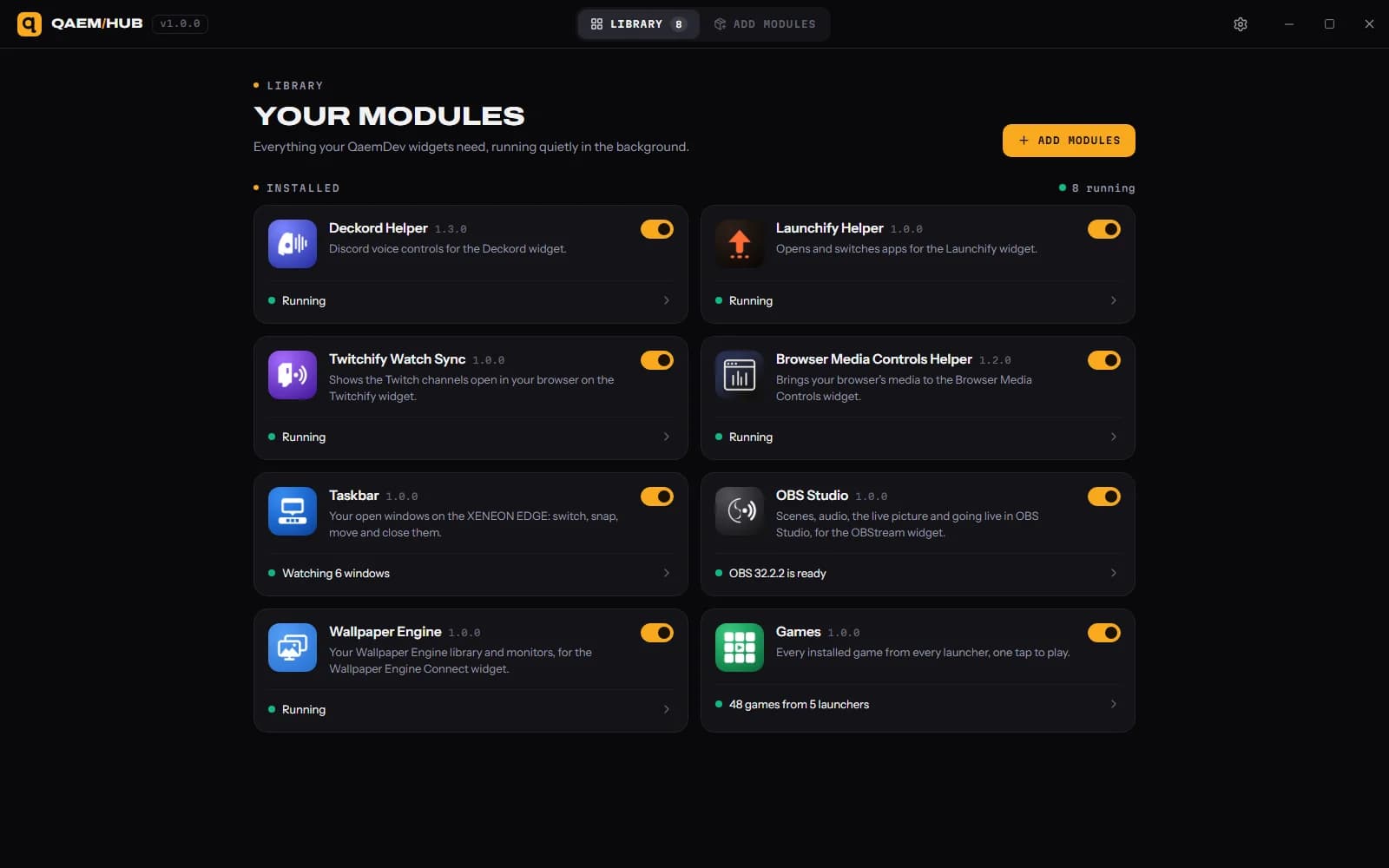
Yes. The Deckord Widget shows everyone in your voice channel, gives each teammate a 0–200% volume slider, pops up your mentions and DMs, switches your mic and speakers, browses your servers and plays soundboard sounds. It needs the Discord desktop app, and Qaem Hub, a free app for your PC.
How much does Deckord Widget cost?
$9.99. One-time purchase, here or on the Elgato Marketplace.
Where do I get Deckord Widget?
Here on qaemdev.com, or on the Elgato Marketplace, at the same price.
What do I need to run Deckord Widget?
Discord desktop app. A Discord application (Client ID and Client Secret). iCUE with a CORSAIR XENEON EDGE. Qaem Hub.