
Browser Media Controls Widget Browser media iCUE widget for the XENEON EDGE
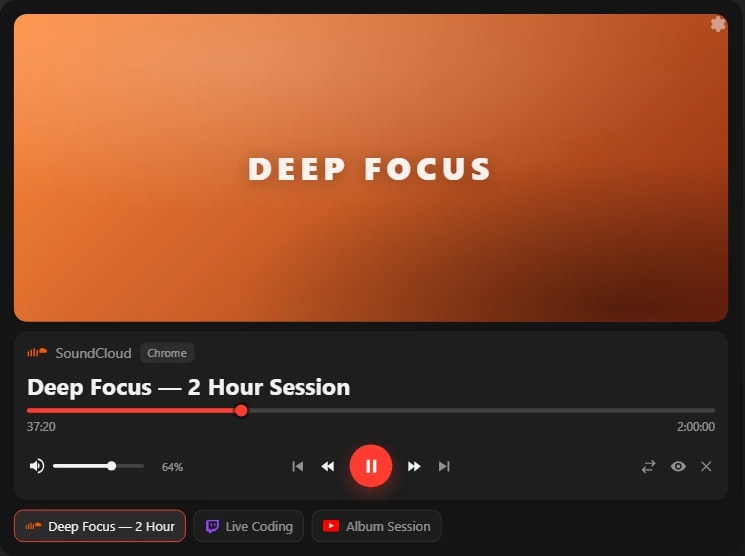
Your browser's media on the XENEON EDGE, with live artwork and full touch control.
Made for your setup.
Browser Media Controls Widget is a browser media iCUE widget for the XENEON EDGE. Browser Media Controls brings your browser's media to your CORSAIR XENEON EDGE, with live artwork, live progress and full touch control over every media tab you have open. It connects through the browser extension and Qaem Hub, a free app for your PC.
Take a closer look.
What it does.
Playback
Play and pause with a tap, and skip to the next or previous track.
Seek and scrub
Seek with a configurable step, or drag the progress bar.
Volume and mute
Set the volume or mute from the touchscreen.
Every media tab
Switch between media tabs, focus one or close it.
Live artwork
Artwork and progress update live.
Specs.
- Category
- XENEON EDGE widgets
- Version
- 1.2.2
- Runs on
- Windows, iCUE, XENEON EDGE
- Works with
- YouTube
- Requires
- The Browser Media Controls browser extension
- Qaem Hub, or the Browser Media Controls Module
- iCUE with a CORSAIR XENEON EDGE
Guides.

XENEON EDGE Spotify widget: now playing for Spotify and YouTube Music
Show what's playing in Spotify, YouTube Music or any browser tab on your CORSAIR XENEON EDGE, with artwork and touch controls, using the free Now Playing widget in EdgeOS.


 +4
+4Install an iCUE widget on the XENEON EDGE
Double-click the .icuewidget file or import it in iCUE, drag it onto your XENEON EDGE and pick a size. The same steps for every widget, plus where its settings are.
Questions.
How much does Browser Media Controls Widget cost?
$9.99. One-time purchase, here or on the Elgato Marketplace.
Where do I get Browser Media Controls Widget?
Here on qaemdev.com, or on the Elgato Marketplace, at the same price.
What do I need to run Browser Media Controls Widget?
The Browser Media Controls browser extension. Qaem Hub. iCUE with a CORSAIR XENEON EDGE.
Works with

Stream Deck
Browser Media Controls
Control the media playing in your browser from Stream Deck keys and dials.

Apps
Browser Media Controls for Windows
Your browser's media on the Windows desktop, with a Dynamic Island, flyout and hotkeys.

Apps
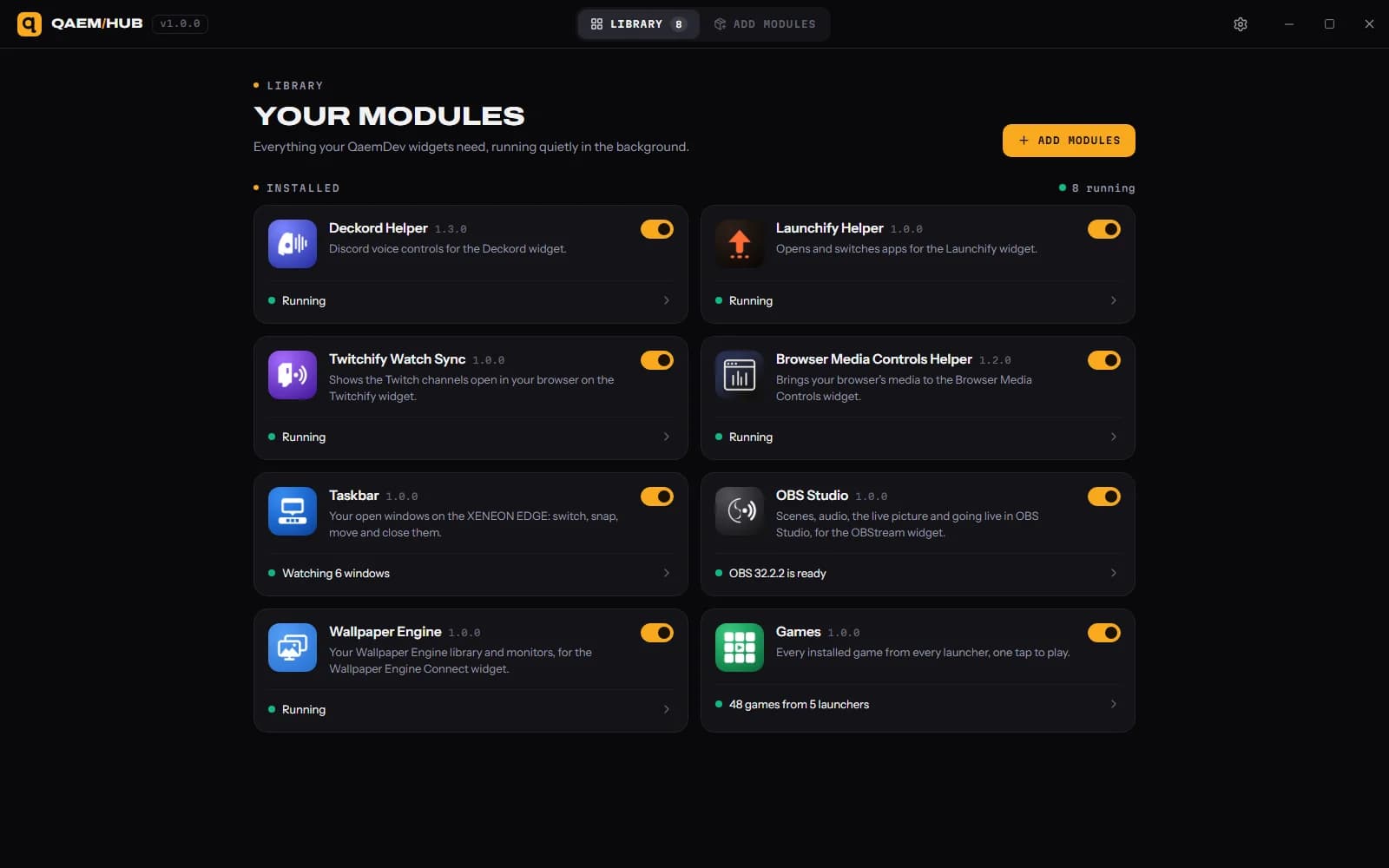
Qaem Hub
The companion app for QAEM products.