Twitchify Twitch chat and moderation iCUE widget for the XENEON EDGE
Twitch mission control on your XENEON EDGE.
Made for your setup.
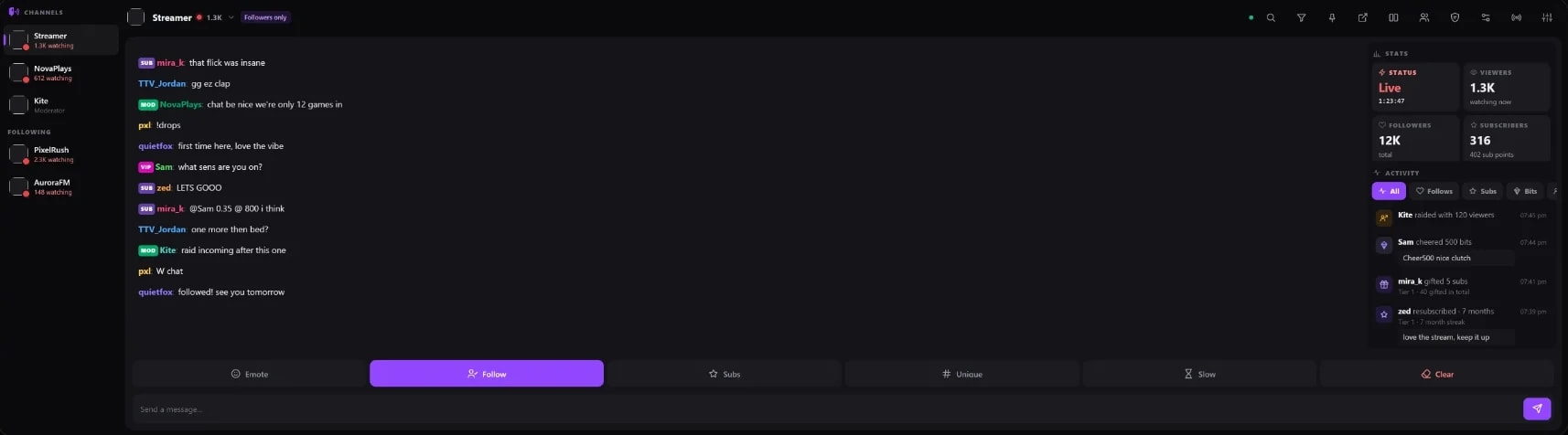
Twitchify is a Twitch chat and moderation iCUE widget for the XENEON EDGE. Live chat with one-tap moderation across every channel you moderate, split view for up to four chats, an activity feed, quick-action tiles and stream stats.
Twitchify is an independent widget by QaemDev. It isn't made, endorsed or supported by Twitch or Corsair. Twitch is a trademark of Twitch Interactive, Inc.
Take a closer look.
What it does.
One-tap moderation
Tap any message to delete it, time out, warn or ban.
Mod tools
Shield Mode, the AutoMod queue and a viewer list you can moderate from.
Split view
Up to four chats side by side, with saved layouts.
Activity feed
Follows, subs, gift subs, cheers, raids and the stream going live.
Badges and emotes
Real Twitch badges and emotes, plus BTTV, 7TV and FrankerFaceZ.
Watch Sync
An optional browser extension shows the chat of the channel you're watching.
Downloads.
Watch Sync for Chrome
The browser half of Watch Sync, for Chrome and other Chromium browsers.
Setup guideWatch Sync for Firefox
The browser half of Watch Sync, for Firefox.
Specs.
- Category
- XENEON EDGE widgets
- Version
- 1.0.2
- Runs on
- Windows, iCUE, XENEON EDGE
- Works with
- Twitch
- Requires
- iCUE 5.45 or newer
- A CORSAIR XENEON EDGE
- A Twitch account
Guides.
How to put Twitch chat on a second monitor (or see it without one)
Every way to keep Twitch chat in view while you stream or play: popout chat, an OBS dock, your phone, or a small touchscreen like the XENEON EDGE with one-tap moderation.

 +2
+2XENEON EDGE setup ideas: 7 layouts and the best widgets
Complete CORSAIR XENEON EDGE layouts for gaming, Discord, streaming, work, a smart home dashboard and music, with the widgets each one uses, what's free and what needs iCUE.

 +4
+4Install an iCUE widget on the XENEON EDGE
Double-click the .icuewidget file or import it in iCUE, drag it onto your XENEON EDGE and pick a size. The same steps for every widget, plus where its settings are.
Set up Twitchify for Twitch chat
Import Twitchify, place it on your XENEON EDGE and sign in to Twitch with a code, then optionally add Watch Sync for your browser.
Questions.
Is there a Twitch chat widget for the XENEON EDGE?
Yes. iCUE has a basic Twitch Chat widget, and Twitchify adds what streamers and moderators need: one-tap moderation in every channel you moderate, up to four chats side by side, an activity feed, stream stats, and clips, markers, ad breaks and raids for your own channel.
Can I moderate Twitch chat from the XENEON EDGE?
Yes. In Twitchify, tap any message to delete it, time out, warn or ban, across every channel you moderate, with Shield Mode, the AutoMod queue and a viewer list a tap away.
Does Twitchify show 7TV and BTTV emotes?
Yes. Twitchify shows real Twitch badges and emotes, plus BTTV, 7TV and FrankerFaceZ emotes.
Does Twitchify need anything else installed?
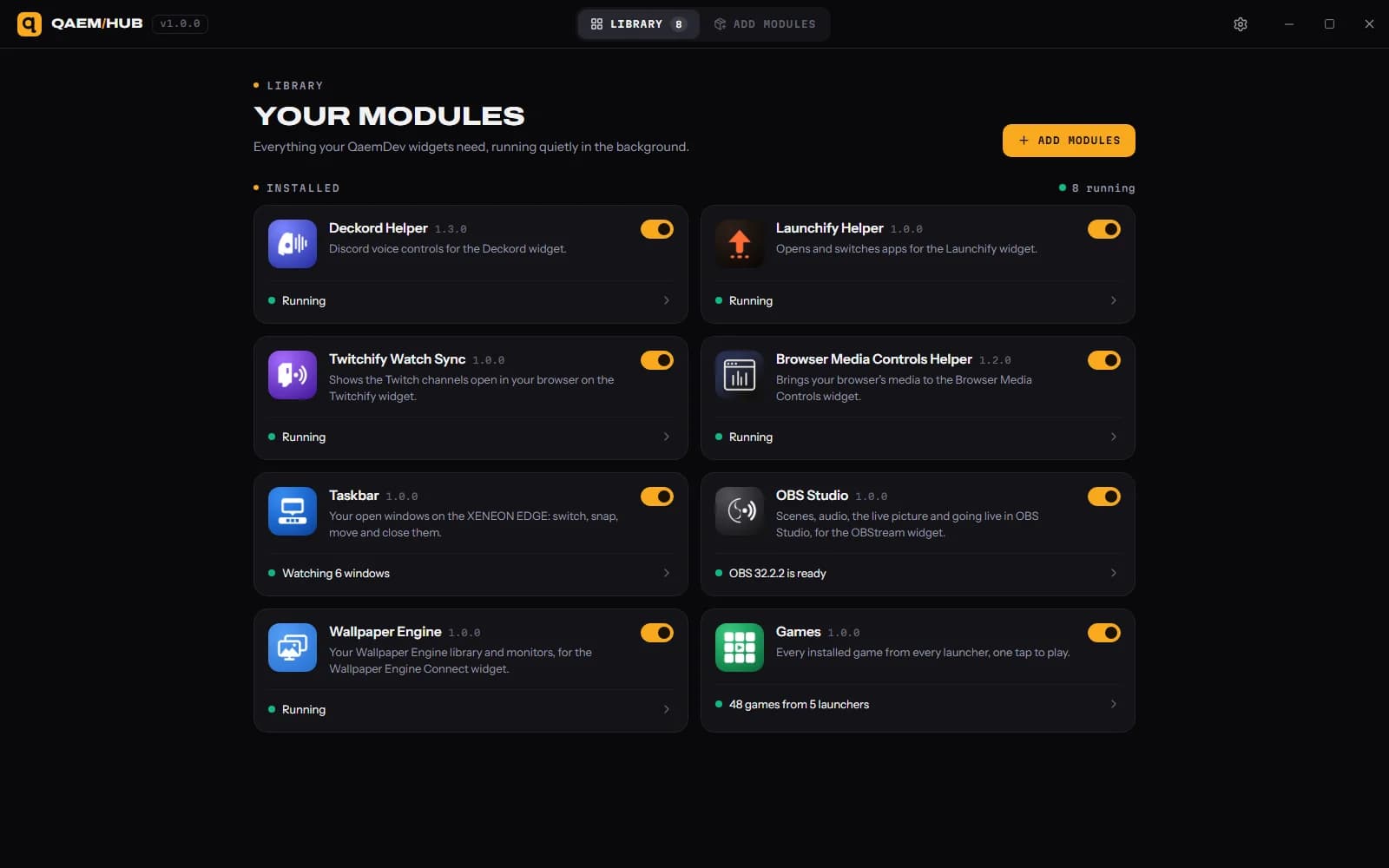
No. Only Watch Sync, which shows the chat of the channel you're watching in your browser, needs more: the free Twitchify Watch Sync browser extension, and Qaem Hub, a free app for your PC. Watch Sync is optional.
How much does Twitchify cost?
$9.99. One-time purchase, here or on the Elgato Marketplace.
Where do I get Twitchify?
Here on qaemdev.com, or on the Elgato Marketplace, at the same price.
What do I need to run Twitchify?
iCUE 5.45 or newer. A CORSAIR XENEON EDGE. A Twitch account.